Boat Browser Mini6.4.6
Publisher Description
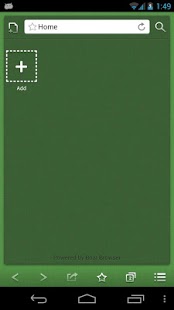
Boat Browser Mini is a fast, simple and beautiful web browser, which brings a better user experience on all Android devices!
- The UI is simple, clean and easy to use…
- We include a Speed Dial homepage, which can easily be replaced by your own homepage!
- It’s quick to start up, load and render pages…
- More Personalized Themes are coming soon!
- Multiple language support!
- Supports visual multi-tabs in the gallery…
- Multi-touch Pinch to Zoom support…
- Supports creating shortcuts from a web page to your home screen…
- Supports a full screen option button in the menu…
- Easily add bookmarks!
- Animation effects when operating!
- You can hide, Zoom in/Zoom out, buttons in the settings menu…
- Supports dominant WAP website format…
- Supports Adobe Flash Player on Android 2.2 and above…
- Supports a powerful download manager!
- Super easy “Gingerbread style” copy/paste tool…
- Supports App to SD function!
- Supports Cache to SD function!
- Adds volume key control setting for switching tabs, scrolling up/down the page and zooming into the page…
- Adds an Incognito mode for (private browsing)…
About Ads:
In this free version, users may see two kinds of Ads:
1. Banner ads in some pages, such as bookmark page.
2. Interstitial ads when users exit the browser.
Please feel free to send us your feedback, your suggestions are very helpful!!!
email: boatbrowser@gmail.com.
Find out more about us via:
Twitter - http://twitter.com/BoatBrowser
Facebook - http://www.facebook.com/boatmobile
Website - http://www.boatmob.com/
About Boat Browser Mini
The company that develops Boat Browser Mini is Digital Life International. The latest version released by its developer is 6.4.6. This app was rated by 36 users of our site and has an average rating of 4.7.
To install Boat Browser Mini on your Android device, just click the green Continue To App button above to start the installation process. The app is listed on our website since 2016-05-03 and was downloaded 4,767 times. We have already checked if the download link is safe, however for your own protection we recommend that you scan the downloaded app with your antivirus. Your antivirus may detect the Boat Browser Mini as malware as malware if the download link to com.boatgo.browser is broken.
How to install Boat Browser Mini on your Android device:
- Click on the Continue To App button on our website. This will redirect you to Google Play.
- Once the Boat Browser Mini is shown in the Google Play listing of your Android device, you can start its download and installation. Tap on the Install button located below the search bar and to the right of the app icon.
- A pop-up window with the permissions required by Boat Browser Mini will be shown. Click on Accept to continue the process.
- Boat Browser Mini will be downloaded onto your device, displaying a progress. Once the download completes, the installation will start and you'll get a notification after the installation is finished.
Program Details
System requirements
Download information
Pricing
Version History
version 6.4.6
posted on 2016-05-03
V6.4.5 update:,1. Fix Facebook audience network bug.,2. Bugs fix.
version 1.1.7
posted on 2011-04-24
Several fixes and updates
